Create your AI Diwali portrait
Turn one solo photo into a warm Diwali portrait with diyas, marigolds and festive clothing. Create an AI JPEG for personal sharing; likeness and details may vary.
Start with a photo. Sign in when you’re ready to create.
Go to photo field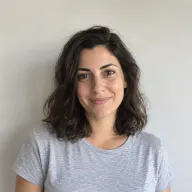
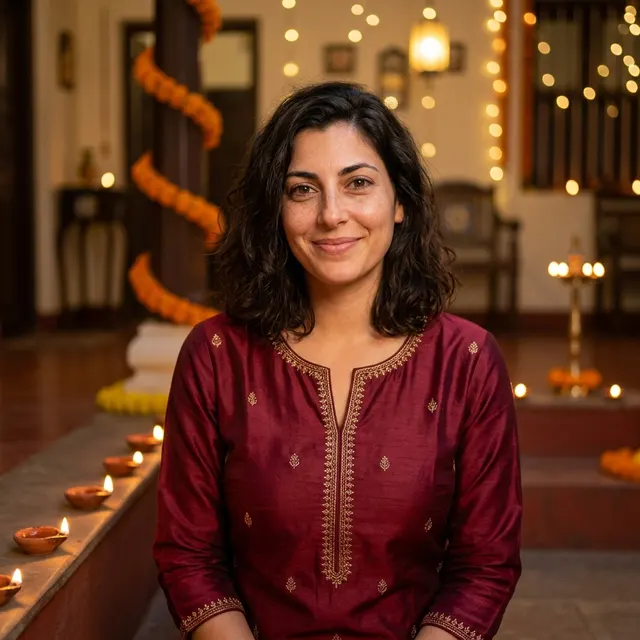
AI example Original → result
Your result may vary.
AI-generated example from an existing reference. Your result will vary.
What to expect
This is an AI-created scene with maroon-and-gold clothing, not a photograph of an attended event or a promise about cultural authenticity for every outfit. It does not add greeting text or combine separate people.
About Diwali Portrait
- You bring
- One solo adult portrait with an unobstructed face
- You get
- One Diwali evening portrait JPEG with diyas, marigolds and festive styling
The example shows one fictional adult in maroon festive clothing, with small lamps, marigold garlands and warm bokeh.
Compare another direction: Garba Night.
Before choosing a reference, learn how to choose a photo for AI art. Match the photo to this effect’s input instructions and check details before saving.
How to create with Diwali Portrait.
- 01
Choose your photo
Use one clear adult portrait you have permission to edit. The recipe supplies the festive courtyard and outfit; it does not need a festival photo.
- 02
Prepare and create
The selected style supplies the direction. More options lets you add a note and choose square, portrait or landscape. Sign in if needed, check the displayed allowance, then explicitly choose Create.
- 03
Check and download
Review the face, lamp shapes, garment details and hands before downloading. Add any greeting text later in your own editor.
Ways to use this style.
- A personal Diwali greeting portrait
- A festive profile image
- A warm courtyard celebration mood board
Common questions.
Does it add a Happy Diwali message?
The recipe asks for no lettering. You receive a still portrait JPEG, and can add your own message elsewhere after checking the result.
How does it differ from Garba Night?
Diwali uses a quiet lamp-lit courtyard portrait. Garba Night introduces Gujarati festival styling, dandiya sticks and a dance-ground setting; neither creates a video.
What does a generation include?
One generation creates one JPEG image. Photo packs start at $4.99 for 10 generations. Choose square, portrait or landscape. Another version uses another generation. A confirmed failed or blocked creation returns its reserved allowance.
Are my photos public?
Your photos and results are private to your account. They are processed to create and safety-check your image, and are not published in a public gallery. Read our privacy page for service providers and retention details.