How to choose a photo for AI art
Start with the photo you want to transform, then match it to an effect that can use that input. A clear reference makes the subject easier to see; it does not guarantee that AI will preserve every face, marking or detail.
This guide uses RemixFrame’s existing examples made from fictional references, not customer photos.
Still choosing the kind of edit? Decide between a filter and AI restyling based on the details you need to keep.
Choose the change you want
A conventional photo filter adjusts the existing image’s colors, tones or texture. AI restyling redraws the image in a new visual direction, so small details can change. Choose a painting look, sketch or drawing or cartoon effect when you want that reinterpretation.
If exact lettering, fine patterns or facial detail must stay untouched, use an appropriate conventional editor instead. Our AI cyanotype effect makes digital blue-paper art; it is not physical printing or a calibrated print negative. Compare craft-inspired digital effects if you want a different material-like finish.
Make the main subject easy to read
Start with an original file where the face, pet or object is visible. Avoid a tiny subject, motion blur, heavy beauty filters or shadows hiding important features. These are practical starting points, not conditions we have measured for every effect.
Follow the style page’s input instructions. A one-person portrait needs one visible person; a couple or family effect starts from one existing shared photo when that effect supports it. Some effects need an adult, some a pet or an object. Do not assume that every effect accepts every subject or that separate portraits can be combined.
Learn from the published examples
These are individual AI results. They show what happened with a particular fictional reference, not a universal quality or detail-preservation guarantee.
A pet, painted again
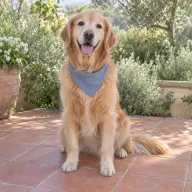
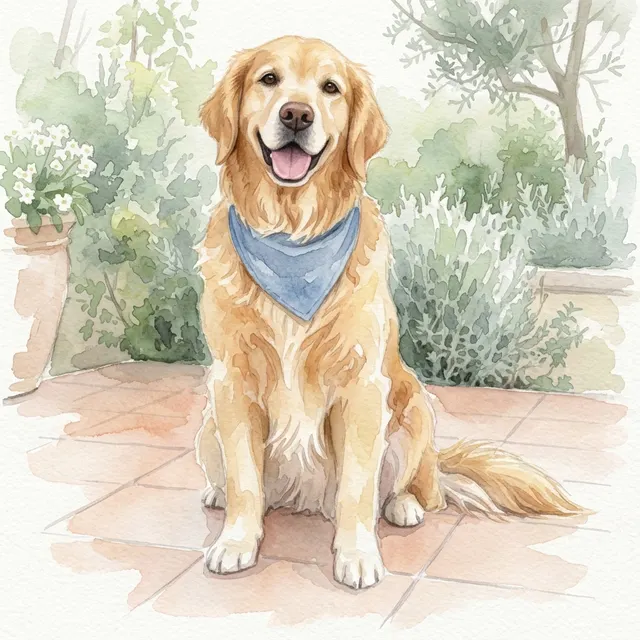
The fictional golden retriever’s blue bandana remains recognizable, while the dog, plants and patio are redrawn with pale washes and paper texture. Small markings and edges may change. Try Photo to Watercolor.
Glasses and facial details

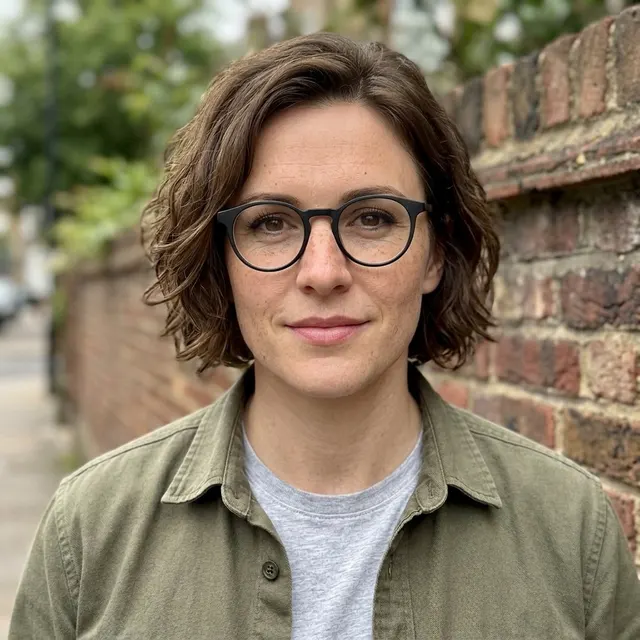
In this published Gender Swap example, glasses and freckles remain visible while hair and grooming change. This single result does not establish that every pair of glasses, face or skin detail will be preserved. Review Gender Swap’s directions and limits.
A portrait on blue paper

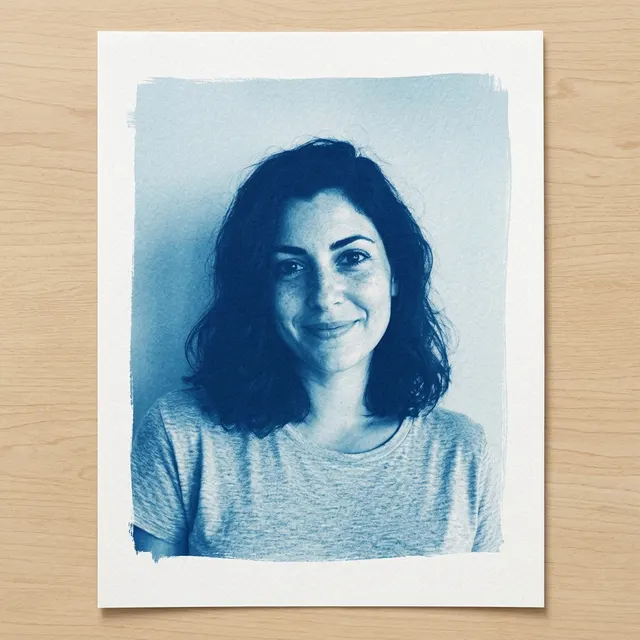
The fictional adult is interpreted in blue and pale cyan, with a brushed edge, paper margin and imagined wood tabletop. The paper scene is generated; it is not a photograph of a delivered print. Explore the AI cyanotype paper effect.
Add only the details that matter
Choose your photo, open More options if you need a short note or another image shape, and review the allowance displayed in your account. A note asks the model to keep a detail; it is not a precision editing control. Some effects require a description or a second style reference, so follow the controls on that page.
Sign in if asked and explicitly choose Create when ready. Choosing a file or buying a pack does not itself start generation. Review current photo and video pricing before choosing another attempt.
Check before you download
Inspect people count, faces, hands, glasses, markings, words and background. Confirm file type and dimensions for your intended use. A JPEG is a flat digital image, not a vector cut file, layered design, physical print or manufacturing pattern. For coloring pages and line art, check the actual line detail and your intended print size first.
Another version uses the displayed generation allowance. Confirmed failure handling follows the existing policy; inspecting or downloading does not make another version. See how private photos and results are handled before you upload.
Ready to choose a direction? Explore photo effects