Add a direct flash look to your photo
Turn one adult photo into a punchy direct-flash AI photograph with crisp light, hard shadows and subtle grain. Create one JPEG; faces and details may change.
Start with a photo. Sign in when you’re ready to create.
Go to photo field
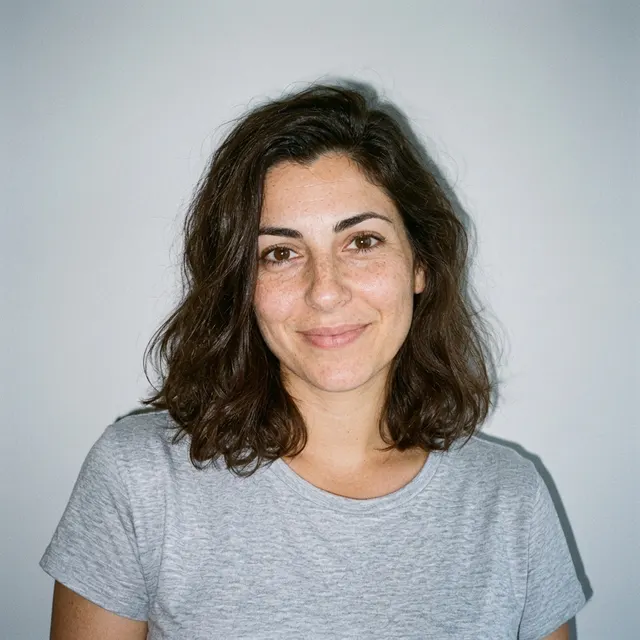
AI example Original → result
Your result may vary.
AI-generated example from an existing reference. Your result will vary.
What to expect
This is an AI interpretation of direct flash, not exact pixel preservation or restoration of a real event. Scene details, expression and skin texture may shift; no manual flash-strength slider is offered.
About Direct Flash
- You bring
- One adult photo whose face and pose are visible
- You get
- One color JPEG with bright frontal flash, crisp shadows and grain
The example shows the fictional adult in gray clothing with bright frontal illumination, a crisp background shadow and photographic grain.
Compare another direction: Black and White Studio · 80s Portrait · Foot Over Camera.
Before choosing a reference, learn how to choose a photo for AI art. Match the photo to this effect’s input instructions and check details before saving.
How to create with Direct Flash.
- 01
Choose your photo
Choose one adult photo with a readable face. This direction aims to change the photographic lighting and finish while following the existing pose and scene.
- 02
Prepare and create
The selected style supplies the direction. More options lets you add a note and choose square, portrait or landscape. Sign in if needed, check the displayed allowance, then explicitly choose Create.
- 03
Check and download
Check highlight detail, eye clarity, skin texture and shadows before downloading; the lighting is generated rather than physically relit.
Ways to use this style.
- A punchy personal portrait
- A flash-photo styling comparison
- A casual color profile image
Common questions.
Can I control flash power with a slider?
There is no numeric flash-power control. You can add a short note in More options, but it guides a new generated image rather than adjusting a measured camera exposure.
Which nearby style changes the mood most?
Black and White Studio uses monochrome side light; 80s Portrait changes the studio styling and era. Foot Over Camera changes viewpoint much more dramatically.
What does a generation include?
One generation creates one JPEG image. Photo packs start at $4.99 for 10 generations. Choose square, portrait or landscape. Another version uses another generation. A confirmed failed or blocked creation returns its reserved allowance.
Are my photos public?
Your photos and results are private to your account. They are processed to create and safety-check your image, and are not published in a public gallery. Read our privacy page for service providers and retention details.