Create your black and white studio portrait
Restyle one photo as a black and white studio portrait with sculpted side lighting and a dark backdrop. Downloadable AI-created JPEG; facial details and expressions may change.
Start with a photo. Sign in when you’re ready to create.
Go to photo field
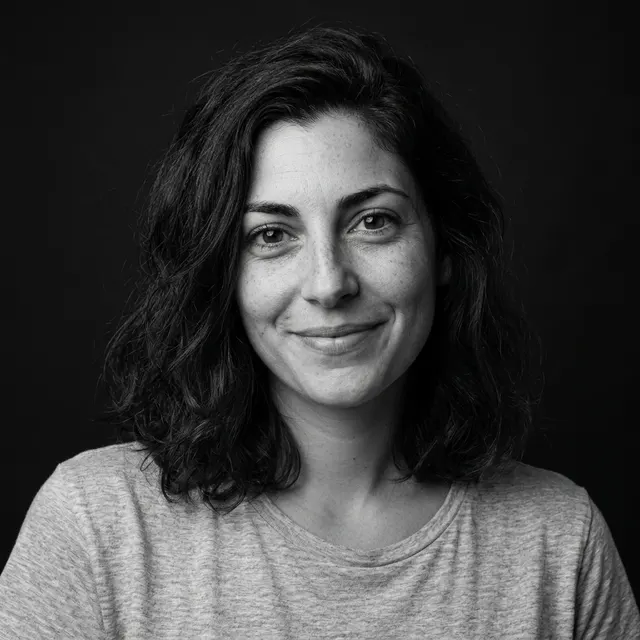
AI example Original → result
Your result may vary.
AI-generated example from an existing reference. Your result will vary.
What to expect
This is an AI photographic redraw, not a lossless desaturation slider, identity guarantee or restoration of an old photograph. Fine facial detail and the original expression may vary.
About Black and White Studio
- You bring
- One solo adult portrait with a clear face
- You get
- One monochrome studio portrait JPEG on a dark backdrop
The example uses a close crop, near-black background and sculpted side light while retaining a recognizable smile.
Compare another direction: Direct Flash · Personal Magazine Cover · Double Exposure Portrait.
Before choosing a reference, learn how to choose a photo for AI art. Match the photo to this effect’s input instructions and check details before saving.
How to create with Black and White Studio.
- 01
Choose your photo
Use one clearly visible adult portrait. The demonstrated example starts with the fictional adult in ordinary gray clothing.
- 02
Prepare and create
The selected style supplies the direction. More options lets you add a note and choose square, portrait or landscape. Sign in if needed, check the displayed allowance, then explicitly choose Create.
- 03
Check and download
Inspect eye detail, skin texture, hair edges and the dark-background transition before downloading.
Ways to use this style.
- A black-and-white profile image
- A restrained personal portrait series
- A studio-lighting mood-board image
Common questions.
Is it just a grayscale filter?
The direction rebuilds studio lighting and the backdrop as well as removing color. Generated details can differ from the input; exact source pixels are not retained.
How does Direct Flash compare?
Black and White Studio uses monochrome tones and side light. Direct Flash stays in color and asks for hard frontal flash and a punchier photographic finish.
What does a generation include?
One generation creates one JPEG image. Photo packs start at $4.99 for 10 generations. Choose square, portrait or landscape. Another version uses another generation. A confirmed failed or blocked creation returns its reserved allowance.
Are my photos public?
Your photos and results are private to your account. They are processed to create and safety-check your image, and are not published in a public gallery. Read our privacy page for service providers and retention details.