Create a personal magazine cover from your portrait
Make an original fictional magazine cover from one portrait photo, with studio styling and a short headline. The result is an AI-created JPEG, with possible text and face changes.
Start with a photo. Sign in when you’re ready to create.
Go to photo field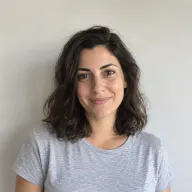
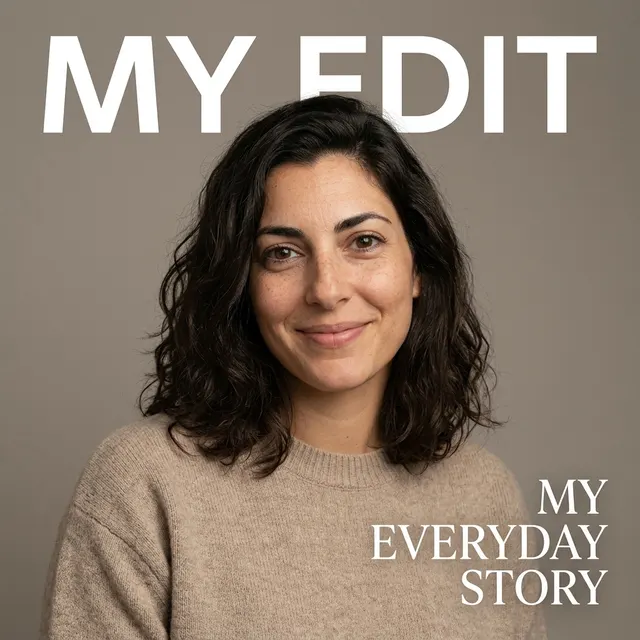
AI example Original → result
Your result may vary.
AI-generated example from an existing reference. Your result will vary.
What to expect
The recipe asks for MY EDIT and MY EVERYDAY STORY, not a real publication. Lettering, placement, clothing and likeness may change; there is no editable type layer or exact print-size promise.
About Personal Magazine Cover
- You bring
- One solo adult portrait with a clearly visible face
- You get
- One fictional magazine-cover JPEG with a studio portrait and short cover text
The example places a gray-shirt portrait on a warm studio backdrop with MY EDIT above the face and a short cover line.
Compare another direction: Paper Scrapbook Portrait · Black and White Studio.
Before choosing a reference, learn how to choose a photo for AI art. Match the photo to this effect’s input instructions and check details before saving.
How to create with Personal Magazine Cover.
- 01
Choose your photo
Choose one adult portrait you have permission to edit. Keep the face unobstructed; the example uses the published fictional adult reference.
- 02
Prepare and create
The selected style supplies the direction. More options lets you add a note and choose square, portrait or landscape. Sign in if needed, check the displayed allowance, then explicitly choose Create.
- 03
Check and download
Inspect the face and every letter in the masthead and cover line before downloading. The cover is one flattened JPEG.
Ways to use this style.
- A fictional cover for a personal profile
- An editorial-style birthday or milestone post
- A digital cover for a personal story
Common questions.
Can I edit the headline as text?
There is no separate headline editor or editable text layer. You can describe a preference in the optional note, but generated spelling and placement are not guaranteed.
How is this different from a scrapbook portrait?
This creates a magazine-style studio cover with lettering. The scrapbook style mounts a small photographic print on decorated paper and asks for no lettering.
What does a generation include?
One generation creates one JPEG image. Photo packs start at $4.99 for 10 generations. Choose square, portrait or landscape. Another version uses another generation. A confirmed failed or blocked creation returns its reserved allowance.
Are my photos public?
Your photos and results are private to your account. They are processed to create and safety-check your image, and are not published in a public gallery. Read our privacy page for service providers and retention details.