Turn your photo into soft clay art
Reimagine a familiar object as a tiny clay world. Bring a photo and explore rounded forms, tactile surfaces and warm studio light.
Start with a photo. Sign in when you’re ready to create.
Go to photo field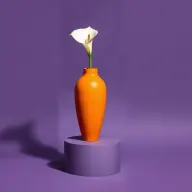
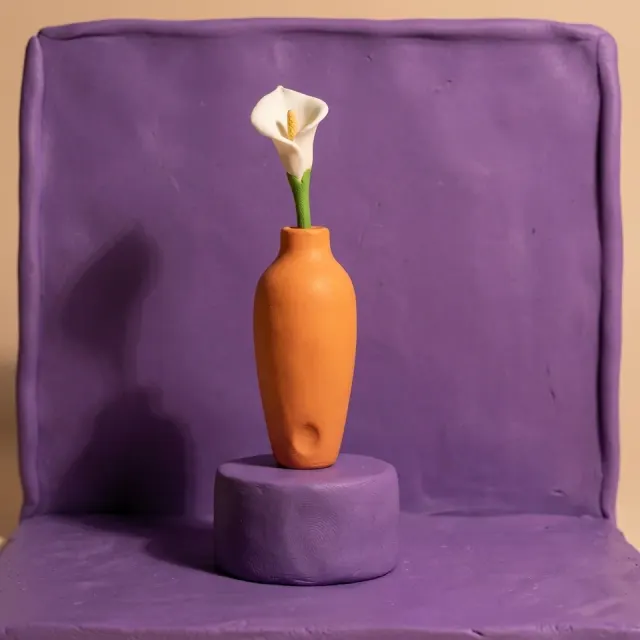
AI example Original → result
Your result may vary.
A real still-life example made with RemixFrame. Drag to compare; your result will vary.
What to expect
Fine patterns and lettering may soften or disappear. This is a flat digital image, not a 3D model, animation or physical sculpture.
About Soft Clay
- You bring
- One clear subject photo
- You get
- A downloadable clay-style image
One still-life example made with RemixFrame. Drag to compare; your result will vary.
Compare another direction: Paper Cut.
Before choosing a reference, learn how to choose a photo for AI art. Match the photo to this effect’s input instructions and check details before saving.
How to create with Soft Clay.
- 01
Pick a recognizable subject
Choose a well-lit object with a distinct silhouette. Avoid a crowded scene for your first attempt.
- 02
Shape the direction
Use an optional note to keep a color or simplify the background. Choose the image format before generating.
- 03
Inspect the little details
Look at edges, proportions and textures before saving your clay-style image.
Ways to use this style.
- A miniature version of a favorite object
- A cozy visual for a personal project
- A softer interpretation of a still life
Common questions.
What gives the image its clay look?
The template asks for soft clay textures, rounded forms and warm light while retaining the main subject of your photo.
Can I print a 3D version?
No. The result is a JPEG image. It does not include geometry or a file for 3D printing.
What does a generation include?
One generation creates one JPEG image. Photo packs start at $4.99 for 10 generations. Choose square, portrait or landscape. Another version uses another generation. A confirmed failed or blocked creation returns its reserved allowance.
Are my photos public?
Your photos and results are private to your account. They are processed to create and safety-check your image, and are not published in a public gallery. Read our privacy page for service providers and retention details.