Photo to Enamel Pin: Make a Digital Keepsake
Turn one photo into a glossy enamel pin-style keepsake image with metallic outlines. A digital artwork, not a physical pin or production file; details can vary.
Start with a photo. Sign in when you’re ready to create.
Go to photo field
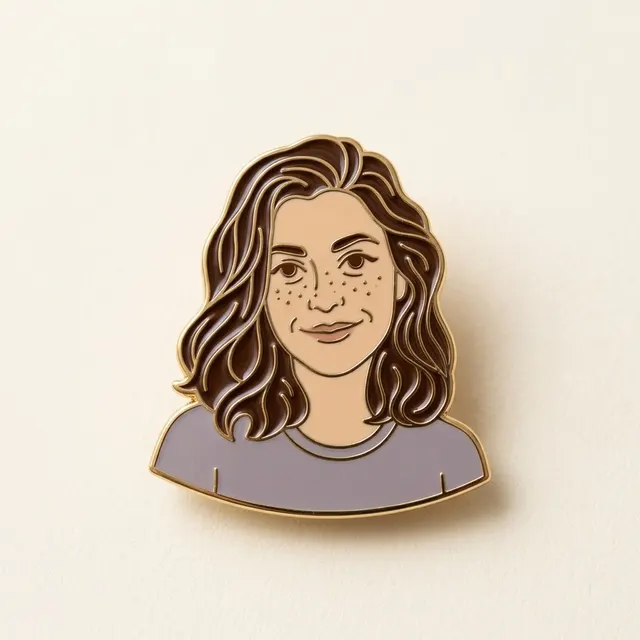
AI example Original → result
Your result may vary.
AI-generated example from an existing reference. Your result will vary.
What to expect
The model may simplify or change facial features, hair, colors and nearby objects. This is a rendered digital image, not a physical enamel pin, a working fastener, an editable vector, a layered file or a manufacturing specification. Fine details and metal thickness are visual effects. Only one fictional adult square example has been reviewed; pets, groups, complex scenes and other image shapes remain unverified.
About Enamel Photo Keepsake
- You bring
- One clear photo with a readable main subject
- You get
- One JPEG of a glossy enamel pin-style digital keepsake with metallic dividers
The example shows one dark-haired fictional adult bust with simplified facial lines, small freckle-like dots, grey-purple clothing, glossy brown enamel-like hair cells and a warm gold rim, resting with a soft shadow on ivory paper.
Before choosing a reference, learn how to choose a photo for AI art. Match the photo to this effect’s input instructions and check details before saving.
How to create with Enamel Photo Keepsake.
- 01
Choose your photo
Choose one clear photo with a readable main subject, pose and clothing. A simple background helps the model turn the subject into separated enamel-like shapes; the reviewed example is one fictional adult portrait.
- 02
Prepare and create
The selected style supplies the enamel keepsake direction. More options lets you add a note and choose square, portrait or landscape. Sign in if needed, review the displayed allowance, then explicitly choose Create.
- 03
Check and download
Inspect the face, outline, glossy color cells and metal-like edges before saving the JPEG.
Ways to use this style.
- A decorative digital portrait keepsake
- A pin-inspired profile image to keep or share
- A visual moodboard for a personal craft idea
Common questions.
What kind of photo should I use?
Use one clear photo with a distinct subject and readable clothing or pose. Simple backgrounds help. The published example is a fictional adult portrait; pets, groups and complex scenes have not been tested for this recipe.
Will the face and background match exactly?
No. The subject is redrawn as simplified enamel-like cells and metal dividers. Facial lines, proportions, hair, colors and surrounding details can change.
Can I order a real pin or use the file for manufacturing?
No. The result is one JPEG digital artwork. Physical production, delivery, pin hardware, vector paths, separations, material measurements and manufacturing files are not included.
How does it differ from Paper Cut or Soft Clay?
Paper Cut imitates layered paper, while Soft Clay uses rounded sculpted forms. Enamel Photo Keepsake uses glossy color cells and fine metallic borders to suggest a small decorative pin-shaped object.
What does a generation include?
One generation creates one JPEG image. Photo packs start at $4.99 for 10 generations. Choose square, portrait or landscape. Another version uses another generation. A confirmed failed or blocked creation returns its reserved allowance.
Are my photos public?
Your photos and results are private to your account. They are processed to create and safety-check your image, and are not published in a public gallery. Read our privacy page for service providers and retention details.