AI Witch on a Broom Photo from Your Picture
Create a playful flying witch portrait from one adult photo: a broom, moonlit village and original Halloween costume. One AI still image; facial details may vary.
Start with a photo. Sign in when you’re ready to create.
Go to photo field
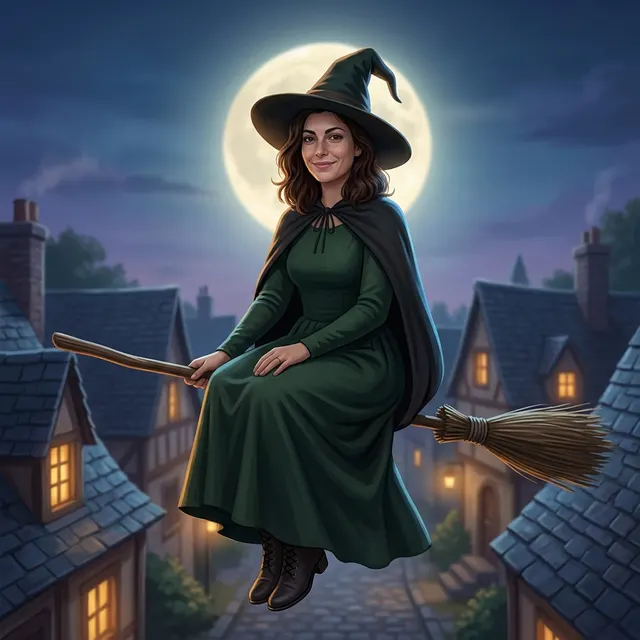
AI example Original → result
Your result may vary.
AI-generated example from an existing reference. Your result will vary.
What to expect
The published example has an illustrated storybook finish rather than a fully photographic appearance. Facial details, age impression, skin tone, hair, clothing, anatomy, moon position and framing can change. This is one digitally imagined still, not evidence of real flight, a crash video, animation, a named film costume or an editable layered file. Only one fictional adult square example has been reviewed; other adults, poses and shapes remain unverified.
About Flying Witch Portrait
- You bring
- One clear photo of a single consenting adult
- You get
- One JPEG fantasy portrait of the adult as a witch riding a broom above a moonlit village
The example shows a dark-haired fictional adult sitting side-saddle on a visible wooden broom, wearing a long dark-green dress, dark cape, pointed hat and lace-up boots. A large full moon sits behind the head, above slate village roofs and glowing yellow windows in a blue-purple night sky.
Compare another direction: Halloween Portrait · Glowing Pumpkin Portrait.
Before choosing a reference, learn how to choose a photo for AI art. Match the photo to this effect’s input instructions and check details before saving.
How to create with Flying Witch Portrait.
- 01
Choose your adult photo
Choose one clear photo of a single consenting adult with an unobstructed face and readable hair. The reviewed example uses a fictional adult; the model supplies the original witch outfit, broom and village.
- 02
Prepare and create
The selected style supplies the original covered witch outfit and moonlit broom scene. More options lets you add a note and choose square, portrait or landscape. Sign in if needed, review the displayed allowance, then explicitly choose Create.
- 03
Inspect and download
Check the face, hands, clothing, boots, broom and crop before saving the JPEG.
Ways to use this style.
- A playful Halloween profile portrait
- A moonlit digital costume picture to keep or share
- An imagined storybook scene for a personal moodboard
Common questions.
What kind of photo should I use?
Use one clear photo of a single consenting adult with the face unobstructed and hair visible. The published example uses a fictional adult; other subjects and group photos have not been tested.
Is the result a photo, illustration or video?
You receive one AI-generated JPEG fantasy portrait. The published example looks like a polished storybook illustration. It is not a flight or crash video, and a photographic finish is not guaranteed.
Do I need a witch costume or broom in my photo?
No. Start with an ordinary adult portrait. The model imagines the covered outfit, pointed hat, broom, moon and village; exact clothing and scene details can vary.
How does it compare with Halloween Portrait or Pumpkin Portrait?
Halloween Portrait emphasizes a warm seasonal costume scene, while Pumpkin Portrait uses a pumpkin-themed portrait setting. Flying Witch Portrait places the adult on a broom above an imagined moonlit village, with an original dark-green outfit.
What does a generation include?
One generation creates one JPEG image. Photo packs start at $4.99 for 10 generations. Choose square, portrait or landscape. Another version uses another generation. A confirmed failed or blocked creation returns its reserved allowance.
Are my photos public?
Your photos and results are private to your account. They are processed to create and safety-check your image, and are not published in a public gallery. Read our privacy page for service providers and retention details.