Create your AI Halloween portrait
Turn a solo photo into an atmospheric Halloween portrait with glowing pumpkins, candlelight and playful ghost decorations. Keep the focus on a familiar face, with a cinematic seasonal setting.
Start with a photo. Sign in when you’re ready to create.
Go to photo field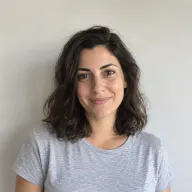
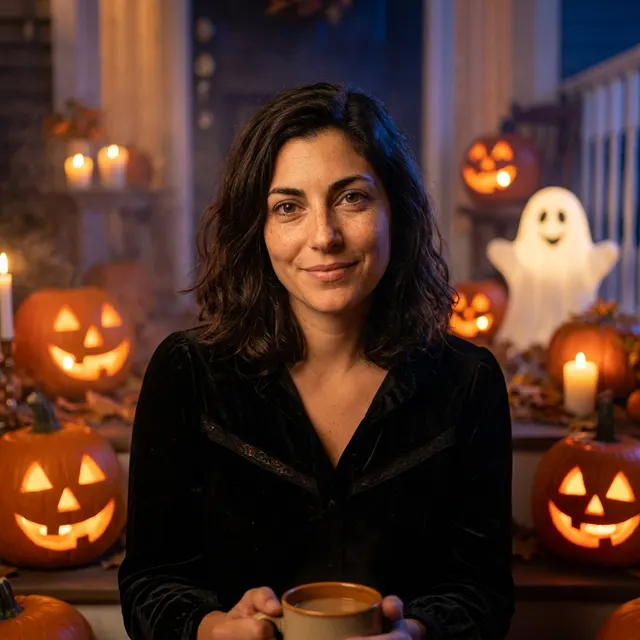
AI example Original → result
Your result may vary.
Actual model output from an AI-created reference. Fictional people; your result will vary.
What to expect
Designed for a solo portrait. Faces and fine details may change; the Halloween setting is AI-created, and an exact likeness is not guaranteed.
About Halloween Portrait
- You bring
- One clear photo of one person
- You get
- One downloadable halloween portrait JPEG
Actual model output from an AI-created reference. Fictional people; your result will vary.
Compare another direction: Fall Forest Portrait · Pet Halloween Costume · Glowing Pumpkin Portrait.
Want a moving costume reveal? Make a Halloween cape transformation video with one adult photo, fixed outfits and instrumental music.
Before choosing a reference, learn how to choose a photo for AI art. Match the photo to this effect’s input instructions and check details before saving.
How to create with Halloween Portrait.
- 01
Choose your photo
Upload one well-lit solo photo with the whole face visible. The scene and outfit can change; your face should stay recognizable.
- 02
Make the look yours
The style is ready to use. Add an optional note for a particular mood or detail, then choose square, portrait or landscape.
- 03
Review your portrait
Check facial likeness, hands and the number of people before downloading. Each additional generation is a separate paid attempt.
Ways to use this style.
- A candlelit Halloween profile picture
- A pumpkin-filled autumn portrait
- A friendly ghost-themed party image
Common questions.
Will the Halloween styling cover my face?
The recipe asks for a clear, recognizable face, with pumpkins, candlelight and decorations around you. It avoids face-covering masks. Likeness can still change, so review your result.
Will my face look exactly the same?
The recipe aims to preserve recognizable facial features while changing the look. AI can alter likeness and fine details; review the example and inspect your own result before using it.
What does a generation include?
One generation creates one JPEG image. Photo packs start at $4.99 for 10 generations. Choose square, portrait or landscape. Another version uses another generation. A confirmed failed or blocked creation returns its reserved allowance.
Are my photos public?
Your photos and results are private to your account. They are processed to create and safety-check your image, and are not published in a public gallery. Read our privacy page for service providers and retention details.