Turn your photo into a plush toy portrait
Fine fabric fibers, subtle seams and soft stuffed volume turn a favorite face into a digital toy portrait.
Start with a photo. Sign in when you’re ready to create.
Go to photo field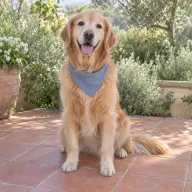
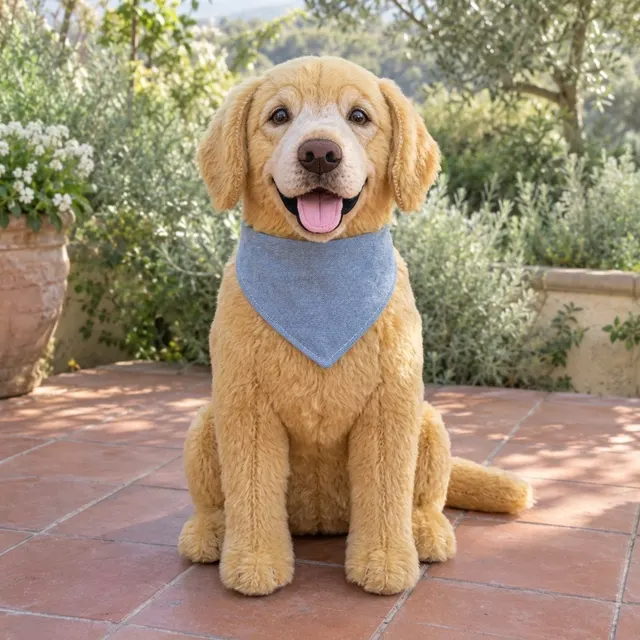
AI example Original → result
Your result may vary.
Actual model output from an AI-created pet reference. Drag to compare; your result will vary.
What to expect
A digital toy portrait, not a physical plush toy or sewing pattern.
About Plush Toy
- You bring
- One existing photo; use a shared photo for couples or families
- You get
- One downloadable plush toy JPEG
Actual model output from an AI-created reference. Results on your photo vary.
Compare another direction: Paper Cut · Soft Clay · Crochet Doll.
Before choosing a reference, learn how to choose a photo for AI art. Match the photo to this effect’s input instructions and check details before saving.
How to create with Plush Toy.
- 01
Choose your photo
Use a pet or person with distinctive colors, hairstyle or markings.
- 02
Keep what matters
Add an optional note about a detail to keep, then choose square, portrait or landscape. Couples and families start from one existing group photo.
- 03
Review and download
Check faces, subject count, markings and edges. Download the JPEG if it works for you; another generation is a separate paid attempt.
Ways to use this style.
- A soft toy version of your favorite face.
- A favorite face or pet, in a different medium
- An existing shared moment, redrawn together
Common questions.
Can I order the toy shown in the image?
No. RemixFrame creates the digital JPEG only. The result is not a physical toy or a manufacturing pattern.
Can I use a photo of two people or a family?
Yes. Start with one existing photo showing everyone clearly. This preset redraws that composition; it does not combine separate portraits. Check the number of people and each person's likeness in the result.
What does a generation include?
One generation creates one JPEG image. Photo packs start at $4.99 for 10 generations. Choose square, portrait or landscape. Another version uses another generation. A confirmed failed or blocked creation returns its reserved allowance.
Are my photos public?
Your photos and results are private to your account. They are processed to create and safety-check your image, and are not published in a public gallery. Read our privacy page for service providers and retention details.