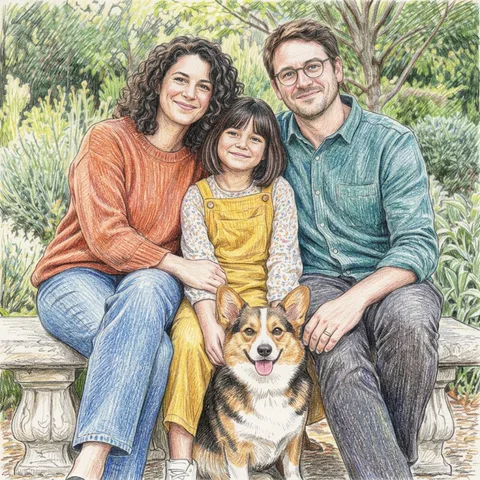
Layered colored strokes and fine paper grain give family moments and pet portraits a drawn, tactile finish.
- You bring
- One existing photo; use a shared photo for couples or families
- You get
- One downloadable colored pencil JPEG
Make something personal.
- Color and texture, drawn by hand.
- A favorite face or pet, in a different medium
- An existing shared moment, redrawn together
From idea to download.
- 01
Choose your photo
Use a sharp, colorful photo; distinctive clothing and fur markings help the result stay recognizable.
- 02
Keep what matters
Add an optional note about a detail to keep, then choose square, portrait or landscape. Couples and families start from one existing group photo.
- 03
Review and download
Check faces, subject count, markings and edges. Download the JPEG if it works for you; another generation is a separate paid attempt.
Before you begin.
Will the pencil strokes remain visible?
The direction emphasizes visible strokes and paper grain. Very small details may blend or simplify in the generated result.
Can I use a photo of two people or a family?
Yes. Start with one existing photo showing everyone clearly. This preset redraws that composition; it does not combine separate portraits. Check the number of people and each person's likeness in the result.
What does a generation include?
One run creates one JPEG image for 10 credits. Choose square, portrait or landscape. Another version is a new generation with a new charge. If generation fails or the image is blocked by a safety check, the reserved credits are returned.
Are my photos public?
Your photos and results are private to your account. They are processed to create and safety-check your image, and are not published in a public gallery. Read our privacy page for service providers and retention details.