Turn your photo into an ink drawing
Fine pen contours and selective cross-hatching bring structure to portraits, travel scenes and buildings.
Start with a photo. Sign in when you’re ready to create.
Go to photo field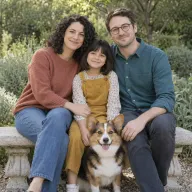
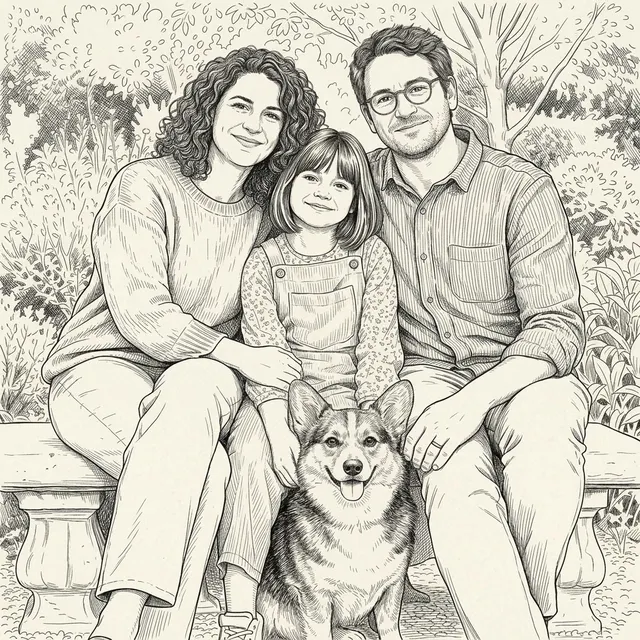
AI example Original → result
Your result may vary.
Actual model output from an AI-created family reference. Fictional people; your result will vary.
What to expect
A stylized JPEG image. Likeness, hands, small lettering and fine patterns may change; inspect the result before downloading.
About Ink Drawing
- You bring
- One existing photo; use a shared photo for couples or families
- You get
- One downloadable ink drawing JPEG
Actual model output from an AI-created reference. Results on your photo vary.
Compare another direction: Pencil Sketch · Colored Pencil · Charcoal.
Before choosing a reference, learn how to choose a photo for AI art. Match the photo to this effect’s input instructions and check details before saving.
How to create with Ink Drawing.
- 01
Choose your photo
Choose a clear composition with distinct edges; intricate railings and small windows may simplify.
- 02
Keep what matters
Add an optional note about a detail to keep, then choose square, portrait or landscape. Couples and families start from one existing group photo.
- 03
Review and download
Check faces, subject count, markings and edges. Download the JPEG if it works for you; another generation is a separate paid attempt.
Ways to use this style.
- Turn your photo into a pen drawing.
- A favorite face or pet, in a different medium
- An existing shared moment, redrawn together
Common questions.
How is ink different from simple line art?
Ink drawing includes fine hatching and detail to describe texture and shadow. Line art uses fewer contours and avoids shaded fills.
Can I use a photo of two people or a family?
Yes. Start with one existing photo showing everyone clearly. This preset redraws that composition; it does not combine separate portraits. Check the number of people and each person's likeness in the result.
What does a generation include?
One generation creates one JPEG image. Photo packs start at $4.99 for 10 generations. Choose square, portrait or landscape. Another version uses another generation. A confirmed failed or blocked creation returns its reserved allowance.
Are my photos public?
Your photos and results are private to your account. They are processed to create and safety-check your image, and are not published in a public gallery. Read our privacy page for service providers and retention details.